Scheduling a Meeting Shouldn’t Require Three Different Tools — Meet Callbridge’s New Calendar Booking Page
Picture how one of your customers books a video meeting today.
They copy a link from a third-party scheduling app. Paste it into an email. The guest picks a time. A calendar invite goes out — but the video conferencing link lives somewhere else. Maybe it gets added manually. Maybe it doesn’t make it into the invite at all. Everyone works around it, and nobody questions whether it has to be this hard.
It doesn’t.
Today, Callbridge is launching the Calendar Booking Page — a fully integrated scheduling tool built directly into the Callbridge platform.
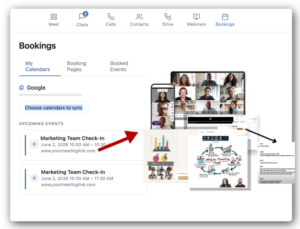
Share a link, let your guest pick a time, and a Callbridge video conferencing link is automatically waiting in the confirmation.
No third-party apps. No manual steps. No dropped details.
Scheduling and Video Conferencing Have Always Been Separate. Not Anymore.
Every time a customer has had to copy-paste a video link into a calendar invite, or discovered the meeting link was missing five minutes before a call, they’ve felt the friction of two disconnected tools pretending to work together. Callbridge is built to eliminate that. Video conferencing, audio, and now scheduling — all in one place, all working together without any duct tape in between.
Here’s How It Works
Once you set up your Calendar Booking Page, the experience is exactly as simple as it sounds:
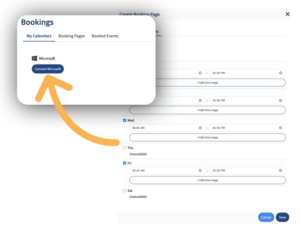
- Connect your Google Calendar or Outlook to keep your availability accurate and prevent double-bookings.
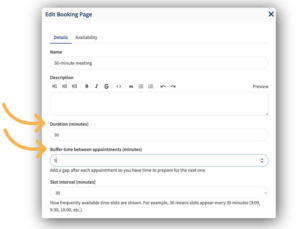
- Set your weekly availability, add buffer time between meetings, and cap your daily bookings.

- Copy your booking link and share it — in an email signature, on your website, in a chat.
- A guest picks a time. A Callbridge video conferencing link is automatically generated and included in their confirmation email and calendar invite.
That’s it. Your guest shows up ready. You show up ready. Nobody is scrambling for a link.
What’s Included
- Customizable booking page — add your name, a meeting title, and a description so guests know exactly what they’re booking
- Availability management — set your weekly schedule, buffer time between calls, and a daily booking limit

- Google Calendar and Outlook sync — stay up to date automatically, no double-bookings
- Automatic Callbridge video link — every confirmed booking includes a ready-to-go conference link
- Guest-friendly flow — guests book without needing an account, a download, or any setup
- Timezone-aware scheduling — availability displays in your guest’s local timezone automatically
More Coming Soon
The Calendar Booking Page is live and ready to use. Coming next: embeddable booking widgets, custom intake fields, co-host support, multi-duration booking options, and SMS/email reminders. We’ll keep you posted as those roll out.
One Less Tool. One Better Experience.
The goal has always been to give you everything you need to meet online without bouncing between platforms. Calendar Booking Page is the next step toward that — scheduling that’s native to your video conferencing tool, not bolted on from outside.
Log in to your Callbridge account and set up your Calendar Booking Page today. Or, if you’re new to Callbridge, explore our plans and see what’s included.